

Download StuCred.
The Real Time Student Credit App.

Best Apps for Students
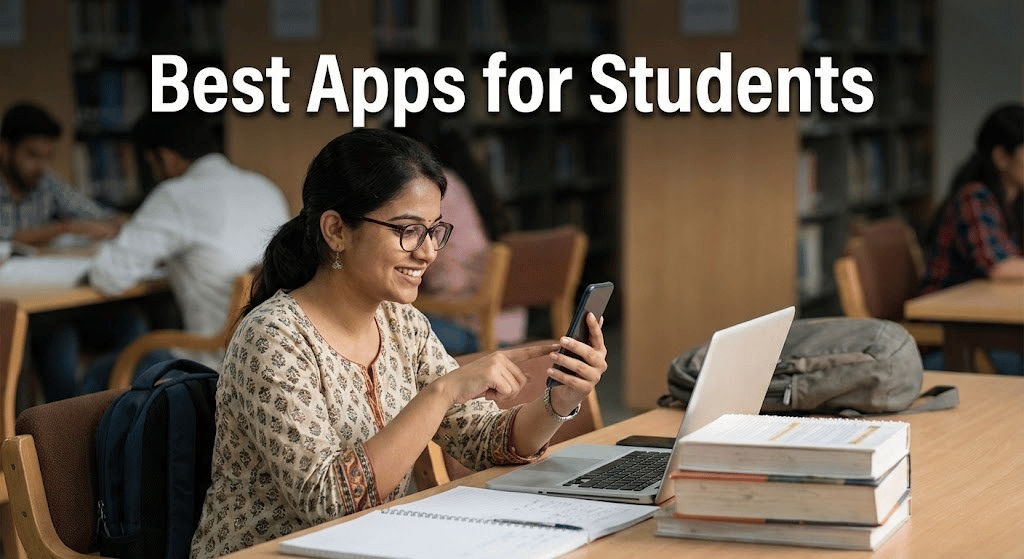
In these fast-moving academic times, students have several balls to juggle: exams, assignments, ECs, and finances. With many as 75% of students reporting feeling “overwhelmed” by the amount of homework/assignments they get, and around 60% admit off finding themselves hard pressed with time management.
In addition, tuition fees are rising, and so is the cost of living.
The good news?
Technology is here to help. The right apps can make all the difference, from work productivity to managing your money.
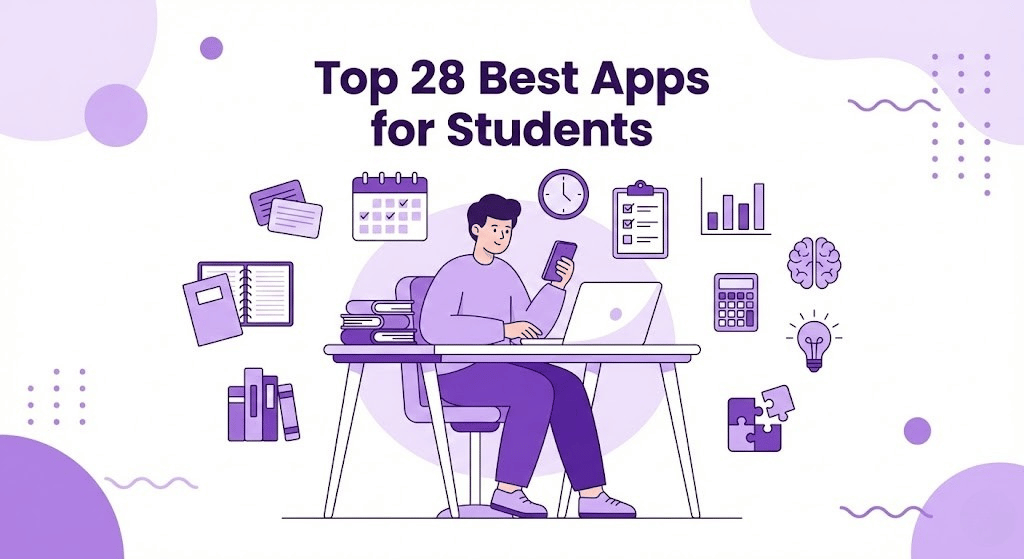
Top 28 Best apps for students
Students have so much on their plates, and they often do not realise that it does not get easier in the real world. You must be self-sufficient, which is why having tools to manage your academic journey better already reduces many pressures. The following are a few notable app categories to fulfill aspects of student life. They improve productivity and are used for time management, money management, and health communication.
Top Apps in Educational and Study Aids
In the Educational and Study Aids category, we have five apps anyone can use to prepare for exams on their Android devices effectively.
1. Evernote
Key Features:
- Flexible, rich-text note-taking system
- Allows you to take notes on your phone and access them across different devices.
- Students in Notebooks can cluster notes, and you can insert images, PDF files, and audio tracks alongside notes.
- Built-in, robust search that works with texts found within images or PDFs
- Provides collaboration features that let students share notebooks with others for collaborative study.
Platform: Windows, iOS, Web client, and server.
Use Cases for Students:
- Evernote helps students create lecture notes, prepare for exams, and keep their class material in one place.
- For managing group projects (by sharing notes and creating to-do lists).
- Students could clip directly from the web into their notebooks and begin annotating new research.
2. Kahoot!
Key Features:
- Allows students to generate their own quizzes and share them with peers.
- Comprises numerous pre-made quizzes on diverse academic topics.
- It will enable you to add images and videos to your quiz questions.
- Offers Live In-Class and Distance Learning Quizzes for Students
Platforms: iOS, Android, Web.
Use Cases for Students:
- Test Preparation: An interactive knowledge-based approach for students to beat exams
- Study Groups: Perfect for study groups where classmates can battle it out to see who is top of the class.
- Traditional way of learning: Teachers can use it as well for more interactive and fun learning; students may use smartphones.
3. StudyBlue
Key Features:
- A cloud-based app that comes integrated with a vast deck of flashcards across numerous topics.
- Students can create their own flashcards, including images and quizzes.
- Monitors Student Progress and provides Study Updates.
- Provides shared study capabilities (students can share their decks or access user-provided flashcards from the community)
- Syncs with Google Drive so you can access your study materials from anywhere.
Platforms: iOS, Android, Web.
Use Cases for Students:
- Study Blue for Exam Review: For reviewing the notes, key definitions, and terms using flashcards.
- Retainable memory: Spaced repetition to improve long-term retention of knowledge, making sure students are ready when exams come around.
- Collaboration: You can make flashcard decks and share them with classmates, or even join a study group to enhance your studying through the app.
4. Quizlet
Key Features:
- A vast library of flashcards made by other users on a wide range of subjects.
- Uses audio pronunciations and colourful images to make it easier, particularly for language learners.
- Includes “Match” mode, where students can compete against the clock to match snippets with their definitions.
- Monitors the students’ performance and adjusts, according to how well they are doing, in a specific study session
Platforms: iOS, Android, Web.
Use Cases for Students:
- Those learning new languages: Quizlet is really popular for students studying other languages because it includes pronunciation tools.
- Exam Prep: Ideal for pupils who want to revise key facts and definitions before a test.
- Concept Review: Quizlet’s variety of modes lets students learn the same concept from different angles, improving retention.
5. Wolfram Alpha
Key Features:
- Has a rich repository of data across multiple academic fields, including physics, chemistry, statistics, and economics.
- Meaning we get to visualize our math equations through graphs, charts, etc.
- Works with Siri for voice control.
- Gives detailed descriptions as well as the answer, and hence is most suitable for self-study.
Platforms: iOS, Android, Web.
Use Cases for Students:
- Math and Science Assist: Great for students who need reliable, quick solutions to tough math/science questions (good for homework and exam prep).
- Data Analysis is any Activity that processes raw data and converts it into beautiful Visuals. The app can help students in areas such as economics and statistics by handling the number crunching for them.
- Complex Problem Solving: Students can count on Wolfram Alpha to solve algebraic equations, calculus problems, and more — with the explanations for how it got them.
How These Apps Help Students
In short, students can improve their academic performance by using educational and study aid apps drastically. Benefits to students, based on the type of app
Organisation and note-taking: Apps like Evernote help students stay organised, making notes easily searchable and available wherever you are, without the need for paper. This lowers stress levels as everyone has their study material with them, whether in class or at home.
Interactive Learning: Apps like Kahoot, Quizlet and StudyBlue prompt students to interact with the material — reducing that chore feel of studying, and converting it into an interactive experience. This is conducive in group settings, where a competitive spirit helps motivate.
Memory Retention: Flashcard apps like Quizlet and StudyBlue have been used for years to increase memory retention with spaced repetition. This prevents cramming and aims to have the students retain material for life.
Solving: More than just stringing answers, Wolfram Alpha also provides step-by-step solutions that help students better understand complex concepts through problem-solving (especially in STEM subjects).
For students who wish they had more time to study and a better understanding of their subjects (and improved exam/project recall), these tools are a necessity.

Top Apps for Productivity and Time Management
Regulating your productivity and maintaining a work-life balance are critical for students juggling academics, family commitments, and co-curricular duties. 5 Top Apps Students Can Use To Manage Their Tasks, Deadlines, And Schedules
1. Notion
Key Features:
- An all-in-one workspace for note-taking, task management, databases, and scheduling.
- Choose from a collection of Fergus templates to help you get started, covering automatic reply responses (like work in progress), certificates, and doom lists.
- Collaboration on group projects at the same time as other team members.
- Connects with Google Drive, Slack, and more
- Reorder tasks efficiently (drag-and-drop).
Platform: iOS, Android, macOS, Windows, and Web
Use Cases for Students:
- Task Management: This feature allows students to create a list of tasks and organise them by subject or project.
- Group Projects: In Notion, you can collaborate with group members in real time, assign tasks, and track progress.
- Class notes: Students can organize and retrieve all class notes.
2. Todoist
Key Features:
- An immaculate, purposeful to-do list, combined with powerful task management capabilities.
- Includes recurring tasks, priority levels, and deadlines to stay organized.
- Quick Task Input with Natural Language (e.g., “to submit assignment by Monday”)
- Adds a little gamified element to productivity with points (Todoist Karma).
- Provides project templates for managing multiple tasks
Platform: iOS, Android, macOS, Windows & Web
Use Cases for Students:
- Daily Task Lists: Students can easily track their daily study sessions (assignments and deadlines) with the help of Todoist.
- Study for Exams: Students can time their study blocks and use a syllabus to plan topics to review — one per day.
- Habit Building: The recurring tasks feature helps build a habit of regular study.
3. Asana
Key Features:
- Teamwork, task assignment & workflow tracking-order fulfillment app for project management
- Visualize boards and timeline views of the progress across projects
- List of tasks with deadlines, importance, and subtasks in the lists
- Works with Slack, Google Drive, and other productivity apps
- Instant project status reports and alerts to drive your projects in the right direction.
Platforms: iOS, Android, macOS, Windows, and Web.
Use Cases for Students:
- Group Projects: Asana is great for assigning tasks in a group project, and its boards show which parts of the process have been completed.
- Task organisation: Students will be able to place assignments in order so that they can view what is next.
- Task Lists: Asana can help break large tasks into smaller bites, which, in turn, makes due dates less daunting.
4. Trello
Key Features:
- Kanban-style visual task management tool with boards, lists, and cards for organising tasks & projects.
- Drag and drop to create a custom Kanban task manager for your subjects or projects.
- Can be acquired with other tools like Slack, Google Drive, or Dropbox Premium.
- Includes Academic Project Templates
- Individual task cards can be supplemented with due dates, checklists, and attachments.
Platforms: iOS, Android, macOS, Windows OS.
Use Cases for Students:
- Project Organization: A Trello-based board system that assists students in monitoring the progress of various subjects.
- Task Breakdown: Every task can be broken into smaller steps, with well-detailed checklists to ensure nothing is missed.
- Collaboration: Students can invite fellow students to boards, making collaborative work on group projects seamless.
5. Google Keep
Key Features:
- An app that lets you take notes — plain and straightforward, but syncs across devices through Google Drive;
- Plus, color-coded labels and categories let you easily organize related tasks or notes.
- Take voice notes, image notes, and mobile reminders for high-touch productivity.
- Seamless integration with other Google apps like Google Docs and Calendar.
- Provides real-time collaboration, allowing users to share notes with others.
Platforms: iOS, Android, Web.
Use Cases for Students:
- Google Keep: To take quick notes on any idea, or the craziest ideas that can not be applied, turn them into task lists for the classes.
- Task Tracking: Simply write some to-do notes in different colours, sorted by the daily or weekly studying tasks for the students.
- Collaboration: Students can link their notes to friends and study partners for group study sessions before exams.
How These Apps Help Students
Task Management: Popular among students who are managing work from multiple deadlines (e.g., Notion, Todoist). Task management — Notion integrates task and note-taking quite well, which is a plus for any student who just wants to keep everything in one place. And while your daily to-do list may feel like an obstacle in itself, Todoist´s easy-to-use, clutter-free interface makes staying on point a breeze.
Group Projects (or Big Assignments): Organization apps like Asana or Trello. Students can use them to assign things, set priorities, and visually track progress. Trello’s card-based system makes it a great project management app for smaller projects and shorter work cycles, while Asana excels with larger or longer-haul projects.
Collaborative Tools: Collaboration is a significant part of student life for group assignments or study sessions. Apps like Google Keep and Notion allow real-time collaboration, making it easier for students to work together remotely. Asana facilitates collaboration but is more suited for group projects with multiple deliverables.
Usability: Apps that are designed to be less confusing and easier to use, which is especially important because students will find these tools intuitive. For something bare-bones and minimalist, Google Keep might be your go-to for quick, in-the-moment capture of tasks or notes . Trello provides visual boards with drag-and-drop lists that let you see what’s going on at a glance.
These apps can offer high levels of customization for students, tailored to their needs. Styling tasks in Trello, using custom boards, setting recurring task reminders in Todoist, and even framing a project dashboard in Notion are examples of how students might organize their work around what makes sense for them when studying.
While using such productivity and time-management tools, students can better manage their academic workflow, meet deadlines more easily, and work together with peers more successfully.
Top Apps for Financial Assistance
For a student, managing finances is one of the biggest concerns, including tuition fees, daily expenses, and budgeting for essentials. These apps will enable students to manage finances, budget effectively, and facilitate the immediate disbursement of financial aid if required.
1. Stucred
Key Features:
- Quick student loans with less paperwork and documentation.
- Student-specific loans with flexible repayment choices.
- Tools to track money lent and repayment status.
- Easy application through the app itself
- A safe portal for student data.
Platforms: iOS, Android.
Use Cases for Students:
- Student Loans: Stucred provides fast, easy access to student loans, helping cover tuition fees, books, or emergency expenses.
- Financial Management: The app also helps students track their financial obligations, including repayment schedules, ensuring they remain on top of their financial commitments.
- Emergency Fund: When students face unexpected financial crises, Stucred provides quick loans, ensuring they can continue their education without interruptions.
2. mPokket
Loan Amount: ₹500 to ₹30,000
Charges: 1% – 6% per month (depending on the carrying period)
Repayment Time: 61-120 days
Features: Instant student loans with a variety of repayment methods. Ideal for students wanting provisional school loans. The more they repay, the higher the loan limit a student can build. This makes it a good fit for students who need fast cash to pay their tuition or buy study materials.
3. KrazyBee
Loan Amount: ₹1,000 to ₹2 Lakhs
Interest Rate: 1% to 3 % Per Month
Grace Period On Repayment: 3 Months To A Year
Key Features: KrazyBee shines in providing loans to buy products from online stores under the EMI. It is also a good choice for those who need electronics or school supplies but do not want to pay the full price up front. This app provides student loans to students studying at accredited colleges in India.
4. Pocketly
Loan Amount: Up to ₹50,000
Interest Rate: 1% – 3% / month
Repayment period: Up to 60 days
Pocketly offers a straightforward, quick solution for students facing financial difficulties. The app has an easy-to-use student interface, streamlines the application process for emergency funding, and allows students to improve their credit scores. It is available to students who require small amounts of money for daily expenses.
5. RedCarpet
Loan Amount: Up to ₹60,000
Rate of Interest: 1.5%- 2.49% per month
Loan Term — 3 to 24 months
RedCarpet provides student loans through a Ruby Card that acts as an ATM cum debit card for easy access to funds. Additionally, the app features a spending tracker that allows students to monitor their expenditures and loan reimbursements. One great feature of this app is that college students can borrow private loans without harming their credit.
6. KreditBee
Loan Amount: ₹1,000 – 3 Lakh
Interest Rate: 1.5%-2.49% p.m
Loan Term: 3–24 months
Key Features: KreditBee also provides various types of loans for students, with quick approval, easy documentation, and minimal requirements. Suitable for: Students who require higher loans for education or general purposes. Also comes with a range of repayment options.
7. CASHe
Loan Amount: Rs 7,000 to 3,00,000
Rate of interest: 12% to 30% each year
Loan Duration: 3 to 18 months
Features: CASHe is an online loan app for students that provides urgent cash with no credit history. This means that students needing a loan for educational purposes or any other personal needs will have a completely paperless process. It’s for people who already have a guaranteed weekly paycheck or are approaching it through graduation (Internship in the spring).
8. PaySense
Loan Limit: ₹5k to ₹500K
Interest Rate: 1.4% — 2.3%
Repayment anywhere from 3 to 60 months
Key Features: The app also offers flexible repayment plans that may help students spread their finances over a longer period. It is ideal for those who require higher loan amounts for studying abroad or attending high-cost institutions.
Indian students can benefit from these apps to get instant cash support in different forms, something everyone studying requires: tuition fees, daily expenses, or emergencies.
Top Apps for Health and Well-being
Physical and mental health are also essential for students to succeed, apart from academics and financial management. Five of the top apps to help increase student well-being and focus on the core students can be found in this list, which provides access to meditation, fitness, sleep, or mindfulness tools.
1. Headspace
Key Features:
- Meditations lead you on all kinds of fun adventures through guided sessions for stress, focus, and creativity.
- Sleep Sounds and Bedtime Stories for Better Rest.
- Mindfulness activities to reduce student anxiety and increase focus.
- Daily chat surveys for personalised meditation recommendations
- Apple Health Integration to Track Mindfulness Stats
Platforms: iOS, Android, Web.
Use Cases for Students:
- Stress Management: If students are stressed out with exams or schoolwork/life, then Headspace does a fantastic job. Meditation- To reduce Anxiety and improve concentration.
- Enhanced Sleep: Using sleep stories and sounds that help guide them to shut their eyes at night will give students better rest, ensuring optimal academic performance.
- Emotional Wellbeing: The app offers mental wellness resources that come together to help ensure students maintain their peace throughout their academic journey.
2. Calm
Key Features:
- Meditation, Breathing techniques, and Relaxation Techniques are meant to manage stress as well as reduce anxiety.
- Concentration: Music (music to help you concentrate during your study sessions)
- Bedtime stories read by celebrities to help you sleep
- The Daily Calms, offering 10-minute mindfulness exercises.
- Preferences for monitoring mental wellness progress and tracking tools
Platforms: iOS, Android, Web.
Use Cases for Students:
- Mental Health: With its wide range of mindfulness exercises and soothing sounds, Calm helps students fight anxiety and stay focused.
- Focus During Studies: Focus Music in this app helps you focus on studies, making it great for deep work.
- Sleep: Students who are trying to get regular sleep can use Calm’s Sleep Stories and Meditations to fall asleep faster and stay in a deeper sleep all night long.
3. MyFitnessPal
Key Features:
- A complete food tracking app to track your meals, water, and calorie intake with a focus on carb/ fat/protein & micronutrient consumption.
- Food database with over 11 million foods to help students log meals and track eating habits.
- Over 50 other fitness apps and devices you can connect with for seamless data syncing.
- Create personalized weight-loss, weight-gain, or maintenance plans.
- A feature to record exercise logging, including the workout performed and the calories burned.
Platforms: iOS, Android, Web.
Use Cases for Students:
- Healthy Eating: As exam season approaches, it becomes essential for students to maintain a nutritious diet, and they can easily track their daily calorie intake using the MyFitnessPal app.
- Exercise-leveling: The app tracks physical activities and exercises, focusing students on mental health.
- Weight Management: helps students keep track of their weight and work towards goals to help their energy levels during study.
4. Top MyLife (formerly Stop, Breathe & Think)
Key Features:
- Deep meditation sessions based on daily check-ins that evaluate how you feel emotionally.
- The point of a breathing exercise is to relax your mind and reduce stress.
- A mindfulness journal feature that prompts reflection on feelings and thoughts
- Sync with Apple Health to track mindfulness and sleep.
Platforms: iOS, Android, Web.
Use Cases for Students:
Mindfulness: The app offers personalized meditations and exercises to promote mindfulness and relaxation, especially during exam time.
Mood Check Ins: A mood-check-in feature prompts students to monitor their thoughts and emotions, making it a helpful app for stress management and anxiety.
Positive Attitude: By fostering positive thinking, i.e., expressing gratitude, one can help boost morale or support to be more emotionally balanced.
5. Sleep Cycle
Key Features:
- Smart alarm wakes students up in their lightest sleep phase for a more natural waking
- Grades include sleep tracking via sound analysis or accelerometer-based recognition to monitor the quality of your sleep.
- The graphs and charts illustrate sleep quality, now and historically.
- Detailed sleep analysis to find out the causes of Sleep.
- Sleepy sounds help college students fall asleep faster
Platforms: iOS, Android, Web.
Use Cases for Students:
Improved Sleep Cycle: This sleep cycle helps students recognize their sleep routine and adjust it to ensure some relaxation, as decent academic performance requires appropriate rest.
Smart Alarm: Our alarm clock feature won’t let students oversleep again; it wakes people up at the right time so they can make it to morning classes or studying.
Sleep: Using sleep data, students can monitor their sleep patterns for anomalies and develop new routines as needed.
How These Apps Help Students
Stress and Anxiety, Focus: Headspace Calm ~These apps do exactly what they say – manage stress & anxiety by affecting your mood, and provide a focused environment. Our students benefit from mindfulness techniques and methods to stay grounded during exam prep or heavy coursework.
Physical Health: My Fitness Pal logs what they eat and tracks their exercise to ensure a healthy diet that can help your students thrive in school.
Sleep Cycle: Want to help students improve their sleep rhythm and feel more rested in the morning? This is especially useful for students who are on a busy schedule or have trouble sleeping and won’t get enough.
Emotional check-ins and reflections through emotional journaling, focusing on mental balance (e.g., Body scan from MyLife App). This awareness would lead to better mental health and, therefore, academic achievement.
Integrating these health- and well-being-focused apps into your student routine can help you handle stress, stay in shape, and remain more engaged, not to mention enhancing the overall academic experience.
Top Apps for Collaboration and Communication
Students working together in group projects, sharing notes and keeping up with peers or even professors all this requires effective collaboration & communication. These apps help to facilitate better communication and make it easy for the students to work on their assignments, or group projects, whether locally or in a remote environment.
1. Google Docs
Key Features:
- Collaborate with an unlimited number of people simultaneously.
- Share files easily and permission control (view, edit, or comment)
- Local document storage with cloud sync when back online.
- Works with Google Drive for Simplifying File Management
- Compatible with file formats such as Word, PDF, and spreadsheets.
Platforms: iOS, Android, Web.
Use Cases for Students:
- Group Projects: Google Docs is an excellent collaboration tool that allows multiple students to contribute and even suggest in real time.
- Sharing Class Notes: Important class notes can be easily shared among the students, enabling them to form a group and suggest changes together.
- Document Storage: Another place to store articles, papers, or any kind of classwork so that you can get back to them anytime, from anywhere.
2. Microsoft Teams
Key Features:
- Centralised communication platform; chat, video calls, and file sharing.
- Interoperability with Microsoft Office tools (Word, etc.) for better collaboration.
- Group discussions and project management channels
- Calendar events and task scheduling to help manage meetings.
- Real-time document and presentation collaboration in an app.
Platform: iOS, Android, Windows & Web.
Use Cases for Students:
- Teams is a perfect tool for online classes, letting students attend virtual classrooms, participate in discussions, and work on projects.
- Students can work together on projects in a near-virtual format by sending messages to each other about changes they should make or things that are going well.
- A Task Management Feature that allows students to delegate and keep track of responsibilities in group projects.
3. Slack
Key Features:
- Threaded conversations to create different communication channels on topics or projects.
- Google Drive, Zoom, Asana, and many more productivity tools are integrated.
- One-to-one or group chat with direct messaging.
- Organized discussions through threaded conversations.
- General advanced search tools to locate old messages or files faster.
Platforms: iOS, Android, mac OS, Windows, and Web.
Use Cases for Students:
- Group Collaboration: If the students are working on a longer project, they have to rely on Slack. You can do this by enabling them to chat in specific channels and share files interactively.
- Create Study Groups: Students can create private channels within a course to discuss topics and share resources in a private setting.
- Maintaining Club Activities: Slack provides a platform for club life to send announcements, discuss events, and for organisers to manage their events.
4. Trello
Key Features:
- Boards, lists, and cards enable you to organize your tasks visually.
- Ability to drag and drop tasks from one stage (To Do) into another stage ( In Progress, Done).
- Google Drive, Slack, Gmail, and other productivity tools benefit from Integromat Integration.
- Task lists, due dates, checklists, attachments, and comments are customizable.
- Group member task assignment, collaborative features
Platforms: iOS, Android, macOS, Windows, and Web
Use Cases for Students:
- Task Management: If you are working on a project as part of a group, use Trello boards to track progress. Every task is divided into separate cards assigned to team members.
- Task Breakdown: Students can visually categorize their assignments by subject or stage to see what they have due and what is in progress.
- All In One Hub: Students and adults can work together on group projects, see who has which assignment left to finish or in progress, and see real-time updates.
5. Zoom
Key Features:
- HD video calls with up to 100 participants (on the free basic plan).
- Screen sharing through a collaborative whiteboard
- Recording of the meeting and transcription for future reference.
- Also, virtual backgrounds and breakout rooms to facilitate group discussions.
- Built-in calendar integration to schedule and join meetings directly from Google or Outlook calendars.
Platforms: iOS, Android, macOS, Windows (Web)
Use Cases for Students:
- Teaching Online: Zoom serves as a platform for attending classes virtually, with students able to tune in to lectures from their living rooms and even join discussions.
- Students can set up virtual study groups or tutoring sessions with classmates, and use screen sharing to review class notes or presentations.
- Group Meetings: Use Zoom breakout rooms to divide larger group meetings into smaller discussion groups. It’s an excellent feature for students working on group projects.
How These Apps Help Students
Real-Time Collaboration: Google Docs and Microsoft Teams enable students to work on a project, paper, or presentation together, no matter where they are.
Task Management: In Trello, tasks are a visual habit-breaker; concepts like breaking an assignment down into manageable chunks so that it can actually move off the ‘to-do’ list are easy to implement. Great for team projects that involve multiple students in prioritizing tasks.
Central communication: Give your team a single place to talk by creating dedicated channels in Slack and Microsoft Teams. Essential tools for group projects, class discussions, or club activities
Online Classrooms and Meetings: Zoom facilitates online group meetings and course rooms using screen-sharing, breakouts, etc. Microsoft Teams is also quite popular among students for holding study sessions together or forming groups remotely.
These apps allow students to work better together, stay on top of things, and communicate easily with their teachers and other classmates. From group projects to virtual classes and even managing your club activities, these tools give you that extra functionality needed for a seamless academic life.
How to Choose the Best App for Your Needs
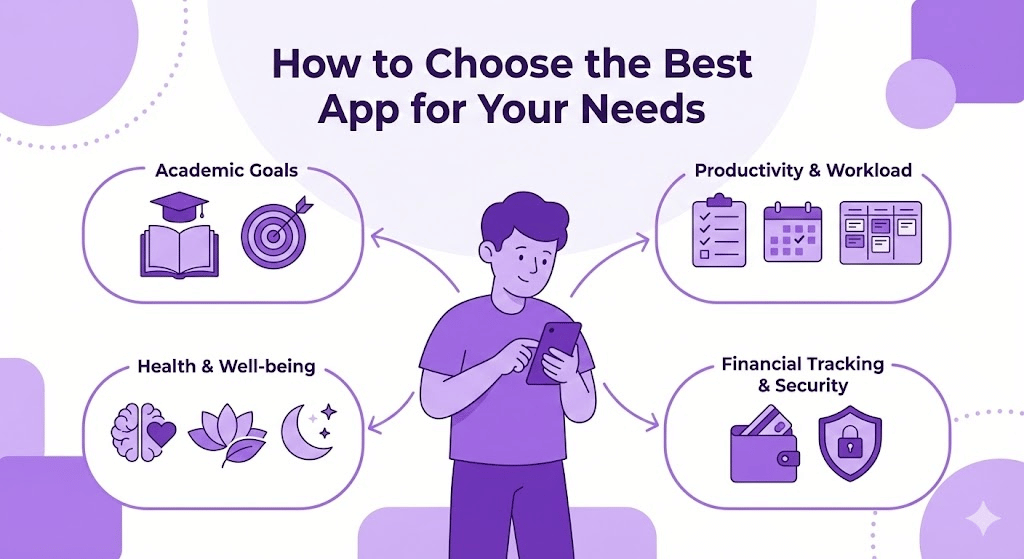
Selecting the right app can do wonders for your grades and general health. There are endless student apps out there, from productivity tools to financial management platforms, which is why you must choose the right app for your individual needs. You will get that and more in this guide on selecting the best student app for your academic requirements, workload management, exam preparation, and reliable financial tracking. Also, the importance of security and reliability in financial apps like Stucred.
Understanding Your Academic Needs
Identify your main academic goals before opting for an app. Finding it challenging to balance your time, needing help preparing for exams, or simply staying organised with your spending? You can make the most of it by matching it as closely as possible to your needs, ensuring the app will be handy as you move forward on your academic journey.
Managing Workload and Productivity
Time management is the most challenging part for students, as they have been given multiple assignments and exams in addition to extracurricular activities. For students, here are some productivity apps: Notion, Trello, and Todoist, which help you stay organized and on task.
Notion: An app that helps students to create a To-Do list, manage projects & take notes altogether at one workspace. It also has the added benefit of being really good for group projects because of its real-time collaboration features.
Trello: The visual board setup makes it a good choice for students who work best with visuals. Enables dividing a large project into smaller pieces. Then, notice everything using a Kanban Board, allowing every task to.
Todoist: For students who just want a basic to-do list app, the simplicity and effectiveness of Todoist should appeal. Recurring tasks and priority levels help students keep deadlines and their assignments in order.
This can help you decide which app to use to improve your productivity.
Exam Preparation and Study Aids
You would obviously like to consider apps that help prepare for exams—such as Quizlet and Kahoot! , and Evernote to help you study.
Quizlet: It is conducive to memorizing dates, definitions, and key concepts because of its flashcard-based learning system. This also includes interactive games that let you test your knowledge.
Kahoot: turns learning into a fun competition. Whether you’re playing Kahoot! by yourself or doing a group study, it’s a fantastic learning tool in either case. Provides quiz questions to help externalize material outliers
Evernote: Download Evernote for Android and download Evernote for iPhone. The fantastic support and features the application offers are perfect as well.
With each app focusing on different facets of learning, this makes the spelling easier to remember and pass exams.
Health and Well-being
Maintaining personal wellness while engaging in academic well-being is crucial for long-term success. Some Apps like Headspace, Calm, and MyFitnessPal help you feel good mentally and physically.
Headspace: Headspace is an application that offers meditation to help students combat the stress and anxiety they often feel. By regularly practicing meditation, students can develop greater focus and improve their emotional health, which will help them stay calm during exam time.
Calm: Much like Headspace, Calm is a mindfulness center on campus that offers sleep stories to help with another critical component of academic performance: getting good rest!
MyFitnessPal: Take care of your body the same way you take care of your mind. Once you get used to it, try MyFitnessPal, which helps keep your diet and exercise on track so you have high levels of focus and energy.
Financial Tracking and Budgeting
Finances is a major worry for a lot of students. It could be in the form of monthly fees, in your rent or utility payments, and then all these little daily expenditures need managing, too. Stucred, Pocketly, and KrazyBee have come up with their apps to simplify this process.
Stucred: For Students By The Student
Stucred is a financial assistance app specifically designed for students. It offers instant student loans with zero interest rates and flexible repayment plans. If you’re a student who needs quick access to funds, whether for textbooks, rent, or emergency expenses, Stucred provides a reliable and efficient solution.
Financial Tracking: Stucred provides loans and helps you track your repayments, making it easier to manage your financial obligations. You can use the app to monitor your outstanding debt and avoid falling behind on payments.
Ease of Use: The app is built simply, ensuring that even first-time users can navigate the loan application process without hassle. Additionally, the platform is secure and reliable, which is vital when handling financial transactions.
More Financial Apps for Students
Pocketly: One of the higher-up financial apps for students, it offers loans up to ₹50,000 with a wide range of repayment options. It is best to meet small, urgent expenses by taking short-term loans.
KrazyBee: Designed to help students make purchases on EMI, KrazyBee allows you to spread out payments for textbooks, gadgets, or other necessities, making it easier to manage large expenses.
These options range from emergency loans to budgeting your daily expenses, and are all handled via financial apps on either iOS or Android.
The Importance of Security and Reliability in Financial Apps
Security and reliability should be top priorities when handling financial transactions, especially for students with limited funds. Apps like Stucred take special care to protect personal and financial information.
Why Security Matters
It Keeps Your Personal Details Safe: When it comes to financial applications, they demand your sensitive information, including your ID and other bank details or credit history. This data is always guaranteed to create identity theft or financial fraud if it is breached. Stucred takes this very seriously; they protect your personal data and banking details by using encryption along with authorized servers.
Safe Transactions: The financial apps also include multi-tier authentication to secure loan applications and repayments against unauthorized access. Both the payment gateways and the OTP-based process are secured as well.
One such app is Stucred, which places great emphasis on safeguarding its users’ rights and processes all transactions securely. The information is stored in a high-security environment, so students can rest assured that a trusted party hosts their financial details.
App Review and Trust
Select an App Cautiously: Before you pick a financial app, read reviews and use well-reputed apps. Search for apps with good reviews and ratings on the App Store, Google Play, or get recommendations from friends of your financial mentor. A reliable app will have clear loan terms, payment schedules, and customer support.
Second, check whether the appropriate financial authorities regulate the app. An example of this is that Stucred operates under the governance and compliance frameworks of Indian financial law, upholding its national standards on financial security and ethical lending practices
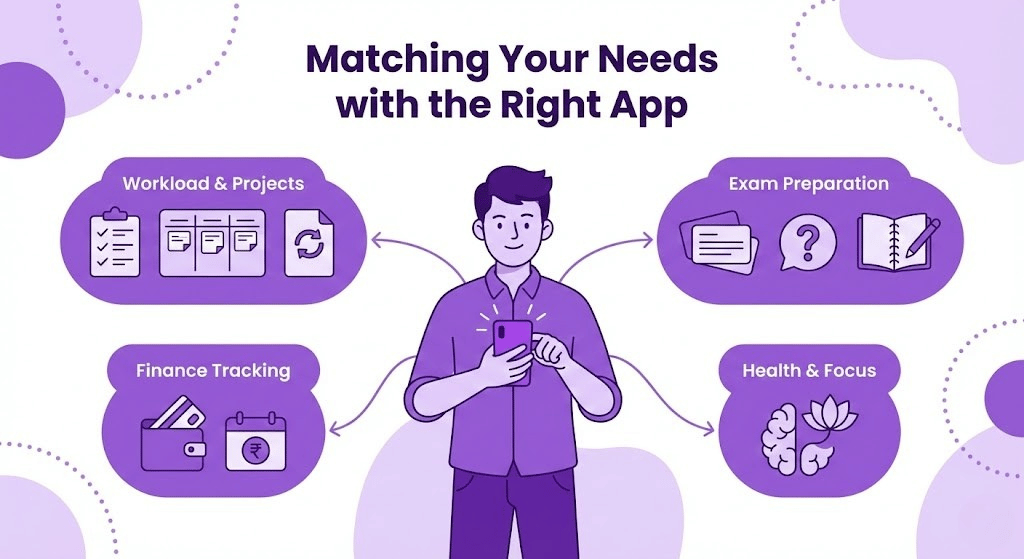
Matching Your Needs with the Right App
Given the wide range of apps available, below is a guide to finding the right fit for your needs.
Apps To Manage Workload: Notion, Trello, and Google Docs for the task list and group projects.
For Exam Preparation: If your focus is on exam preparation, use Quizlet for flashcards, Kahoot! for quizzes, or Evernote for note-taking.
Tracking finances: If financial tracking is your only concern, then either Stucred or Pocketly will be a good fit. These are easy-to-apply student loans, with fast disbursement and repayment flexibility, organized primarily with the student in mind.
Health: Apps are available to help you manage stress and maintain focus, such as Headspace or Calm.
Conclusion
Choosing the right app can dramatically enhance a student’s academic and personal life. From managing workload and preparing for exams to ensuring financial stability and maintaining mental well-being, various apps are designed to meet students’ specific needs.
Productivity apps like Notion and Trello keep tasks organized, while study tools like Quizlet and Evernote help students retain knowledge efficiently. Financial assistance apps like Stucred and Pocketly provide quick access to funds, helping students easily manage their expenses, while health and well-being apps like Headspace and MyFitnessPal ensure a balanced lifestyle.
Security and reliability are critical, especially when dealing with financial apps. Stucred, in particular, stands out for its student-centred approach, offering 0% interest loans with a focus on security and ease of use. It’s essential to choose apps that meet your immediate needs and offer long-term reliability and data protection.
Ultimately, the best app for you will depend on your unique academic challenges, financial requirements, and well-being needs. By assessing these factors and prioritising security and efficiency, you can select the perfect apps to help you thrive in your academic journey.